
dblBase · Site management
Site inspection and audit software
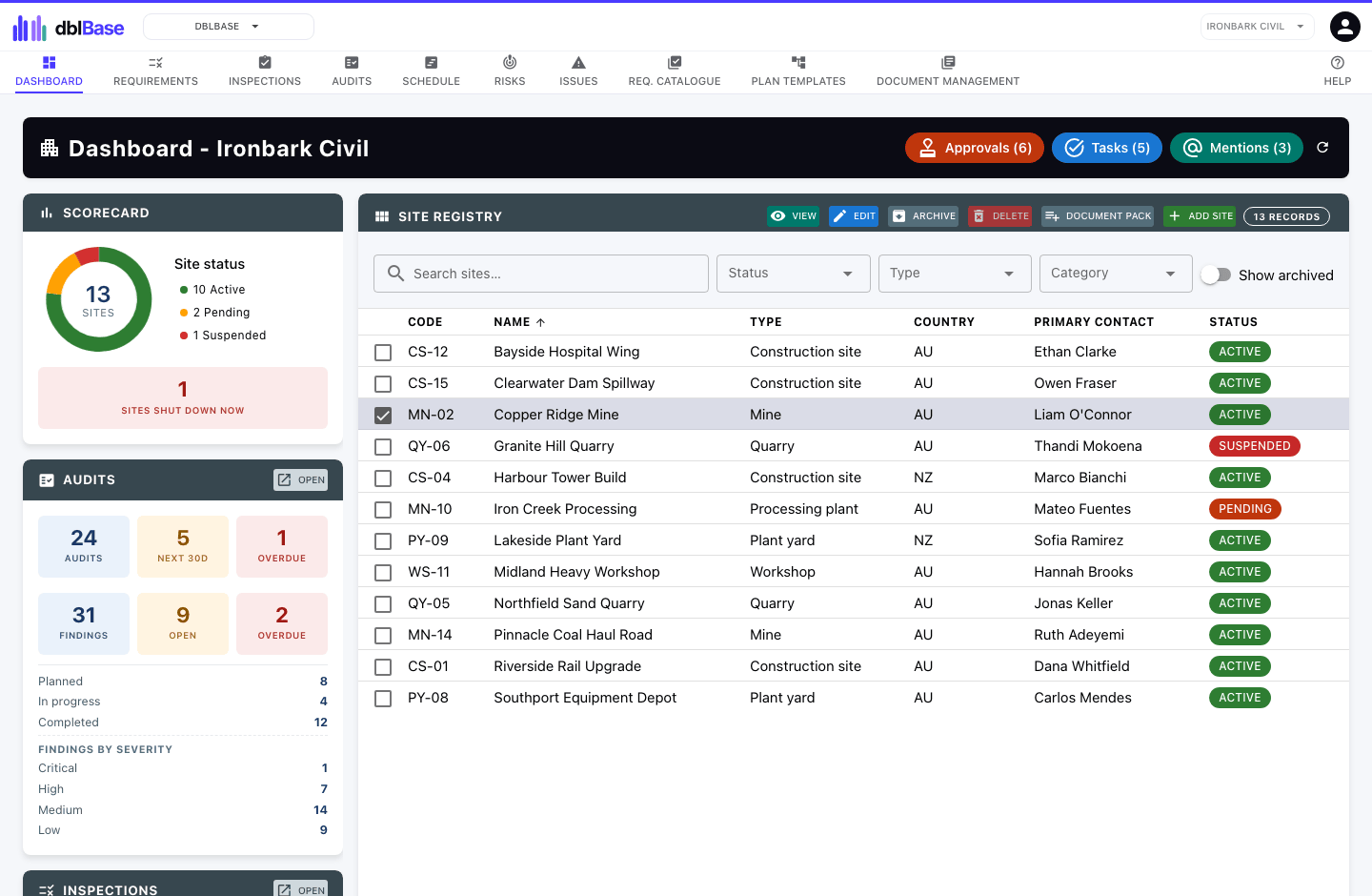
Schedule inspections and audits for every site, attach photos as evidence, and keep each site’s certifications and requirements up to date.
How it works
How dblBase handles it
Scheduled inspections and audits
Plan inspections and audits for each site and record the results against it.
Photo evidence
Attach photos and documents to every inspection, audit and finding.
Certifications and requirements
Track the certifications each site holds and the requirements it must meet, with expiry alerts.
Issues and risks for each site
Log issues and risks against the site, and roll them up into dblCheck for a view across the business.
Features
Everything else in dblBase
- Register of every site you run, with its contacts
- Certification tracking with approval, expiry alerts and renewal reminders
- Requirements for each site from an organisation-wide catalogue
- Inspections and audits with findings, photos and documents
- Audit plans from reusable templates, with tasks and milestones
- Schedule of every site’s inspections, audits and shutdowns, drag to reschedule
- Secure portal for outside parties, with reusable request packs
- Issue and risk registers for each site, with corrective actions
Industries
Used in
Construction
Subcontractor certificates of currency, site inspections, worker licences and plant.
See dblSuite for constructionMining
Site inspections, plant maintenance, high risk work licences and contractor documents.
See dblSuite for miningManufacturing
Product lifecycle, supplier approval, corrective actions and machine maintenance.
See dblSuite for manufacturingQuestions
Frequently asked questions
- Can we run several sites on one account?
- Yes. Every site and entity is included in your subscription, and there is no charge per site.
- Does dblSuite work offline?
- No. dblSuite runs in your web browser and needs an internet connection.
Start with dblBase.
Month to month, every site included, and each application you add lowers the price per user.