
dblSource · Supplier and contractor management
Subcontractor prequalification software
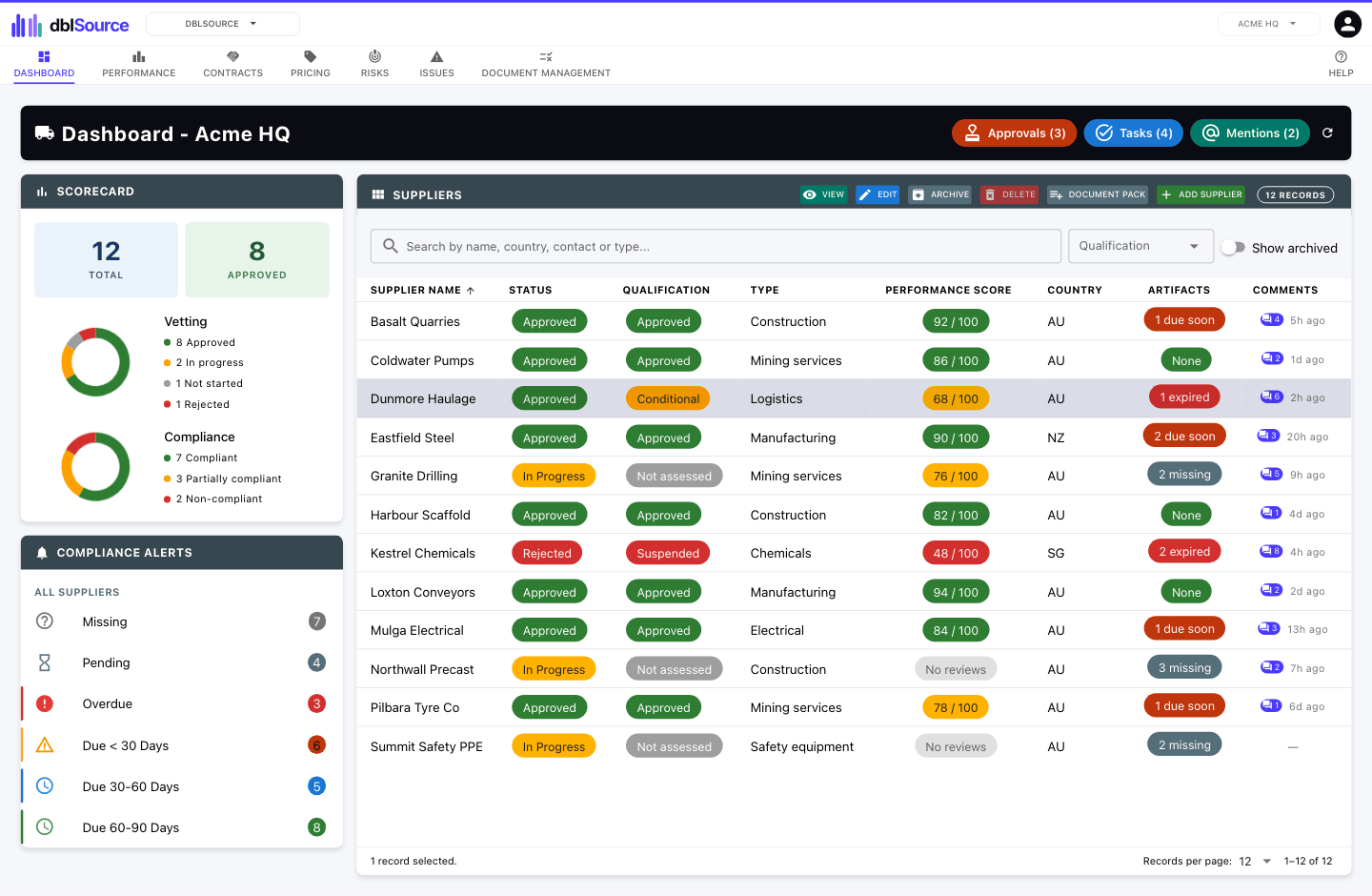
Take every new subcontractor through the same intake, document checks and approval before they start work, and keep their details current afterwards through a secure portal.
How it works
How dblSource handles it
1
A structured onboarding intake
Every subcontractor answers the same questions and provides the same documents.
2
Vetting and approval
Review each submission and approve it through a set workflow, with a full record of who decided and when.
3
Performance over time
Score subcontractors on the work they deliver, so the next decision draws on the last job.
4
Documents that stay current
Certificates and licences carry expiry dates, and you are warned before they lapse.
Features
Everything else in dblSource
- Step-by-step supplier setup with a structured onboarding intake
- Qualification with a scope and valid-until date
- Compliance documents and certificates, with approvals and expiry alerts
- Document packs that request the same documents from every supplier of a kind
- Performance reviews, service levels and breaches
- Secure portal for suppliers and contractors
- Contracts with approval, renewal chains and notice reminders
- Supplier price history, with lines linkable to a dblFeature product or dblSpace item
- Supplier export and import with Xero and QuickBooks Online
Questions
Frequently asked questions
- Do subcontractors need a paid user seat?
- No. Subcontractors provide their documents through a restricted portal as guests. A guest costs a fraction of a user seat, and each subscribed application includes some free guests.
- Does dblSuite work offline?
- No. dblSuite runs in your web browser and needs an internet connection.
Start with dblSource.
Month to month, every site included, and each application you add lowers the price per user.