
dblTeam · Personnel and certification
Worker licence and certification tracking, including high risk work licences
Know which workers hold a current licence for the job. dblTeam tracks every licence and certification from issue to expiry and renewal, and warns you before one lapses. It holds whatever your regulator issues: high risk work licences in Australia, operator certifications in North America, competence cards in the United Kingdom.
How it works
How dblTeam handles it
Every licence on the worker’s record
Record operating licences, trade certificates and any other certification against each person, with issue and expiry dates.
Warnings before expiry
See which licences are about to lapse and renew them before they affect a shift.
Training alongside licences
Record completed training and see refresher courses falling due next to the licences that expire.
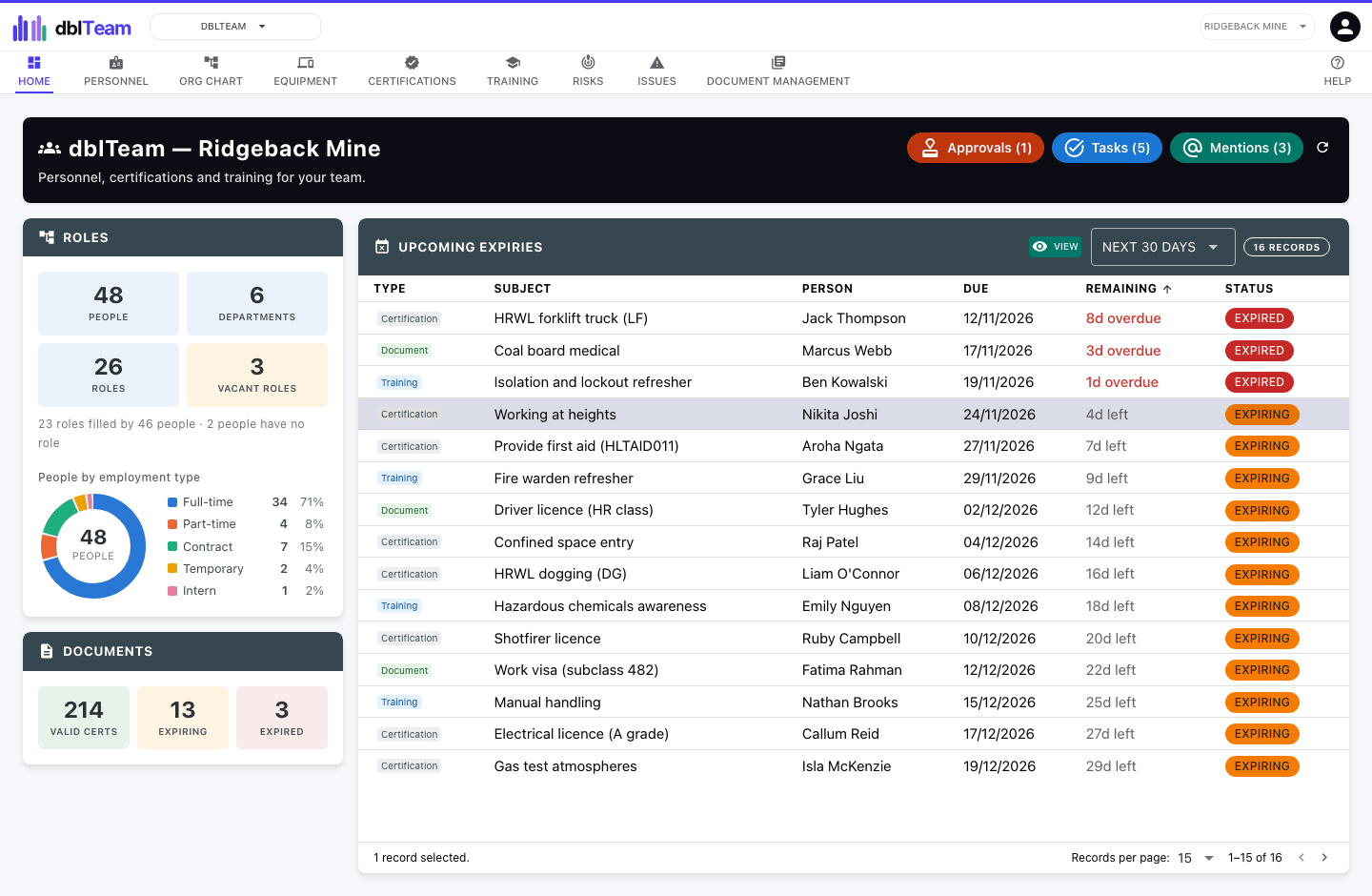
One list of everything falling due
Every licence, training refresher and personal document coming up for renewal, across all your people, in one list.
Workers upload their own
Give a worker portal access and they renew their own documents, without needing a full user seat. A new upload becomes the next revision, so the history stays on the record.
Ask for the same set every time
Group the licences and documents a role needs into a document pack and apply it to each person, so you can see what each one has provided and what is still outstanding.
Organised by department and role
Group your people by department, each with a role, so you can see who holds what across a crew or a whole site.
Personal details stay protected
Sensitive personal information is encrypted at the field level.
Features
Everything else in dblTeam
- Personnel records with encrypted personal information
- Departments, roles and an organisation chart showing vacant roles
- Step-by-step onboarding for each new starter
- Licence and certification lifecycle, from issue to expiry to recertification
- Certification and training requirements by person, role or department
- One list of every licence, training refresh and document falling due
- Equipment issued to staff, with its issue and return history
- Portal for staff to upload their own documents, requested with document packs
- Each person linkable to the dblBase site they work at
- Expense claims in dblLedger turned on from a person's portal access
- Risk and issue registers for personnel
Industries
Used in
Construction
Subcontractor certificates of currency, site inspections, worker licences and plant.
See dblSuite for constructionMining
Site inspections, plant maintenance, high risk work licences and contractor documents.
See dblSuite for miningManufacturing
Product lifecycle, supplier approval, corrective actions and machine maintenance.
See dblSuite for manufacturingQuestions
Frequently asked questions
- Do workers need a paid user seat?
- No. Workers provide their documents through a restricted portal as guests. A guest costs a fraction of a user seat, and each subscribed application includes some free guests.
- Does dblSuite work offline?
- No. dblSuite runs in your web browser and needs an internet connection.
Start with dblTeam.
Month to month, every site included, and each application you add lowers the price per user.