
dblFault · Incident management Coming soon
Incident management with response targets, text message escalation and post-incident reviews
Report incidents against the site, equipment or product they concern, hold every one to a response target for its severity, escalate by text message until someone acknowledges, and close out with a review.
Works on its own, and shares users and records with other dblSuite applications
Used in construction, mining and manufacturing
How dblFault works
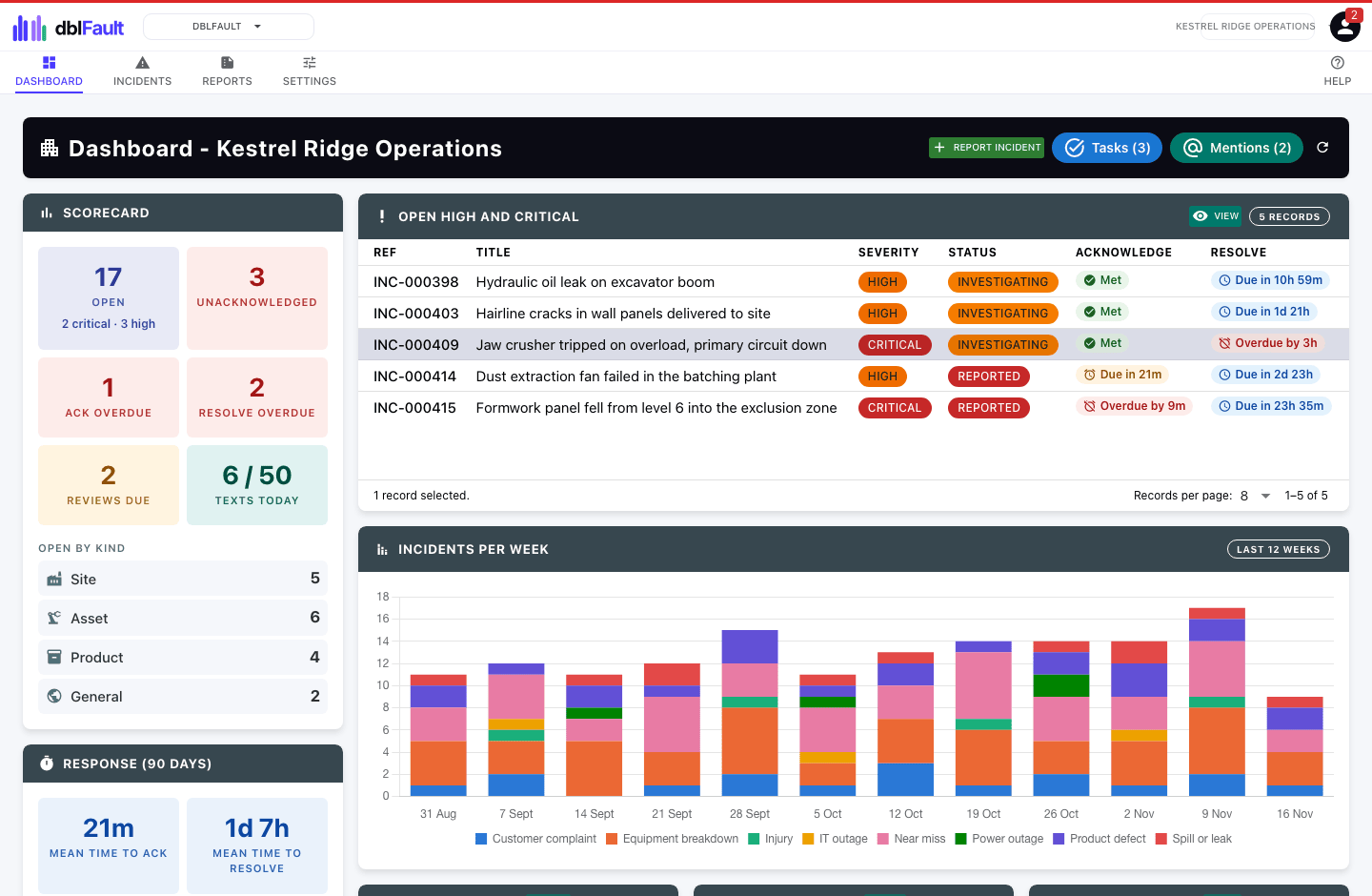
dblFault is where incidents are reported and worked through to closure. Each one is numbered, given a severity from Low to Critical, and recorded against what it is about: a site, a piece of equipment, a product with its batch or lot, or a general incident such as an injury or a power outage. Link the subject to its dblBase site, dblUp asset or dblFeature product, and note any other sites, equipment and products it also affects.
Every severity carries its own targets to acknowledge and to resolve, and each incident shows a live countdown against them. Until someone acknowledges a serious incident, dblFault escalates by text message in up to three levels, falling back to email for anyone without a verified mobile. A daily digest lists every incident past a target, so nothing slips quietly.
Incidents move from reported through acknowledged and investigating to resolved and closed, with a timeline of every status change, update, owner change and escalation. Follow-up actions are tasks, and photos, video and comments sit on the record. Severities you choose require a post-incident review, written from your own templates, before the incident can close.
The dashboard shows what is open, what has missed a target and how quickly you respond. Weekly and monthly reports count what was raised, resolved and still open by severity and kind, download as a PDF with your logo, and can be emailed on a schedule.
In the application
A closer look at dblFault
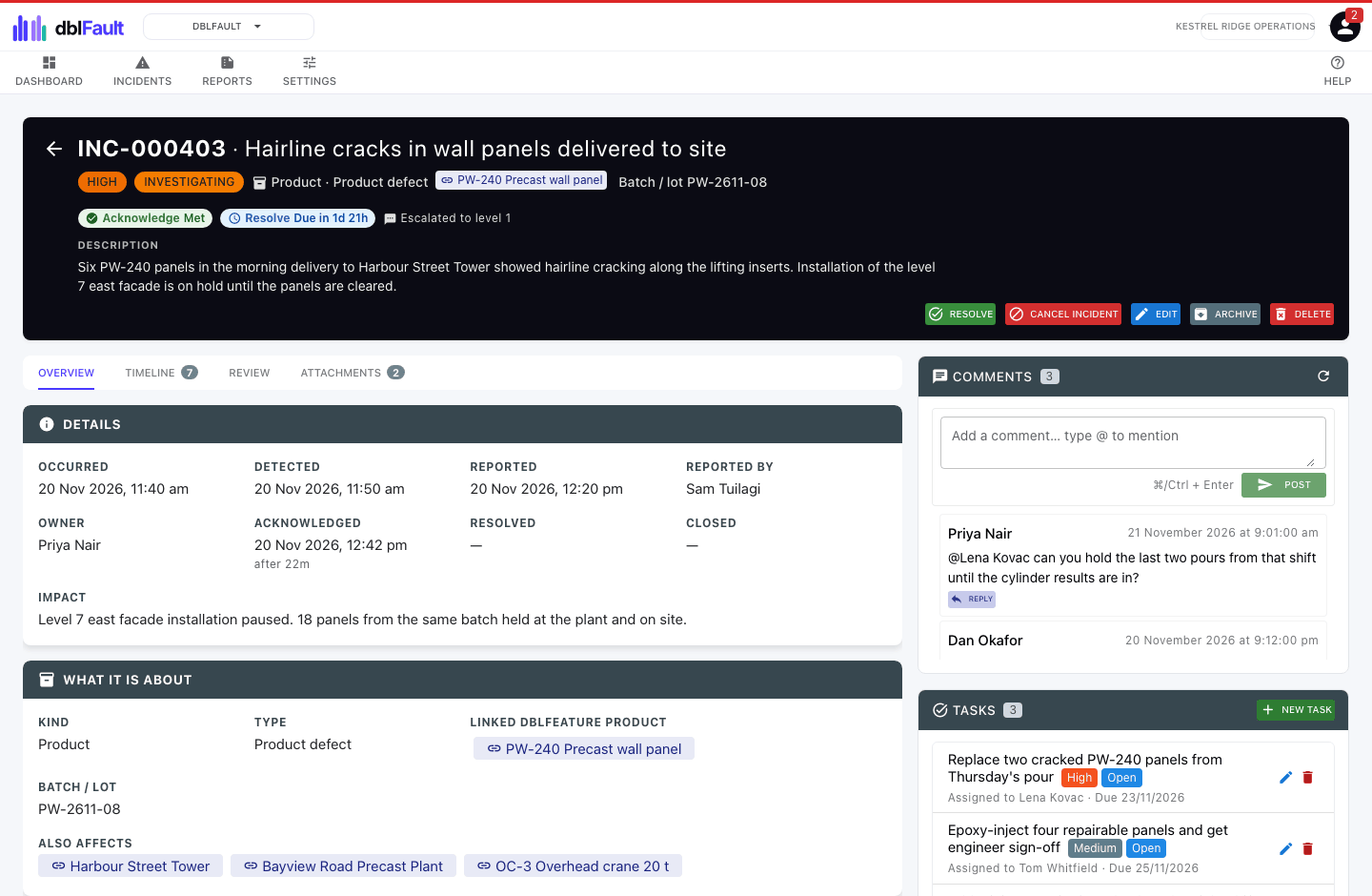
One incident, every link
Each incident records what it is about, from a linked product and batch to the sites and equipment it also affects, with its response targets, comments and tasks.
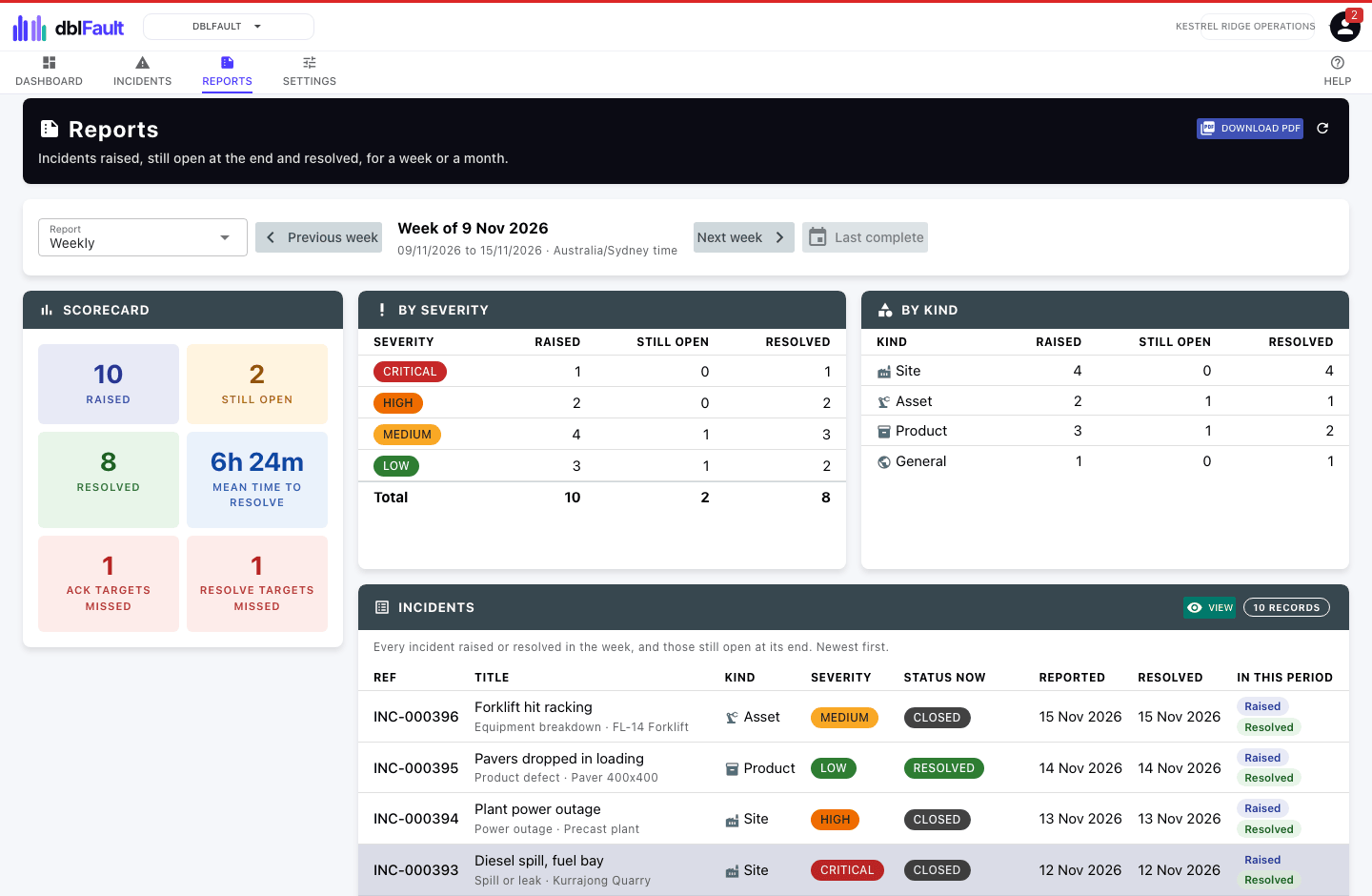
Weekly and monthly reports
See what was raised, resolved and still open each week or month, by severity and kind, with missed targets counted and a PDF ready to share.
Features
Reporting, response and review features
- Site, equipment, product and general incidents, each with its own types
- Acknowledge and resolve targets for each severity, with live countdowns
- Text message escalation in up to three levels until someone acknowledges
- Daily digest of every incident past a target or awaiting its review
- A timeline of every status change, update and escalation
- Post-incident reviews from your own templates, required before closing
- Root cause and resolution recorded on every closed incident
- Follow-up actions, photos, video and comments on each incident
- Weekly and monthly reports as PDF, emailed on a schedule
- Links to dblBase sites, dblUp assets and dblFeature products, with batch or lot
Better together
How dblFault works with other applications
dblFault works on its own, and its records link to other dblSuite applications. The application that owns a record stays its system of record. The others point to it and show its current name and status.
A site incident can link to the dblBase site it happened at, and any incident can note other sites it affects.
An equipment incident can link to the dblUp asset that failed, and any incident can note other assets it affects.
A product incident can link to its dblFeature product and record the batch or lot, and any incident can note other products it affects.
dblFault is coming soon.
Start with one application and add more when you need them. Every site and entity is included.