
dblTake · Order management Coming soon
Wholesale orders from draft to invoice, priced correctly every time
Your customer master and wholesale order book. Price each customer from their pricebook, fulfil through the warehouse, invoice and credit, and give customers a portal to their orders.
Works on its own, and shares users and records with other dblSuite applications
Guest access: customers see their orders, invoices and credit notes, and return order forms
Used in manufacturing
How dblTake works
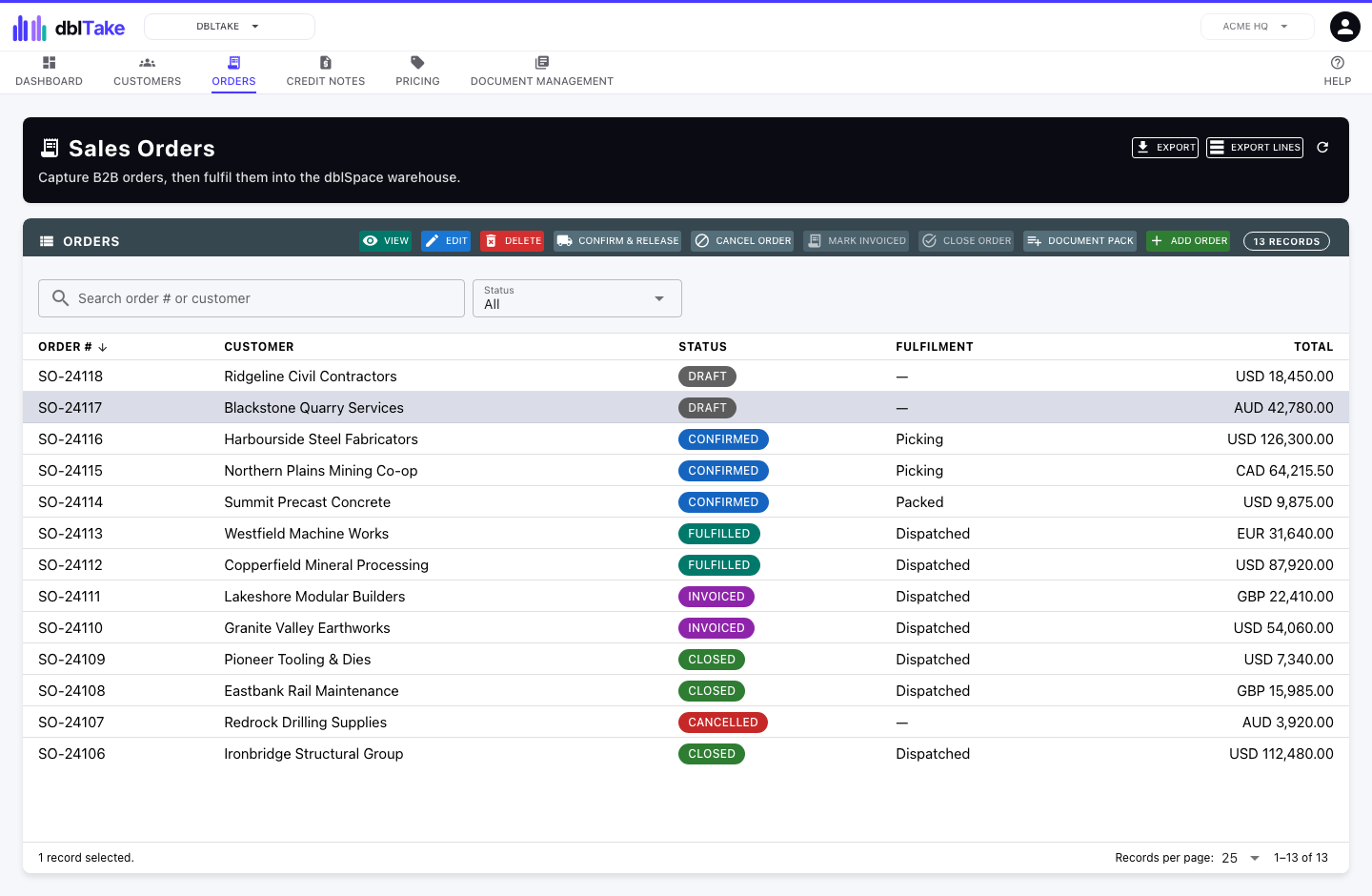
dblTake runs the order book. Hold your customer master, the record of who you sell to with payment terms, billing and delivery details, and take wholesale orders through their whole lifecycle, from draft to confirmed, fulfilled, invoiced and closed, with the customer’s PO number and requested delivery date on each.
Pricebooks set each customer’s price as a discount off RRP, with dated specials and volume tiers. Orders fulfil through dblSpace if you use it, and its dispatch completes the order and emails the customer. Invoices fall due on the customer’s payment terms, and invoices and credit notes can be created in Xero or QuickBooks Online. A credit note can book returned stock back into dblSpace.
Customers see their orders, invoices and credit notes through the portal, and send orders back on a spreadsheet order form of their own products and prices, which dblTake reads into a draft order. Connect Xero or QuickBooks Online to keep your customers the same in both places, exporting new ones and importing those you already have.
Features
Order, pricing, fulfilment and invoicing features
- Customer master with payment terms, addresses and contacts
- Sales order lifecycle with automatic numbering
- Pricebooks: a discount off RRP, with dated specials and volume tiers
- Optional fulfilment through dblSpace, where dispatch completes the order and emails the customer
- Invoices and credit notes, optionally created in Xero or QuickBooks Online
- Credit notes that book returned stock back into dblSpace
- Customer portal with orders, invoices and credit notes
- Spreadsheet order forms returned through the portal
- Order lines linked to warehouse items or dblFeature products
- Customer export and import with Xero and QuickBooks Online
Better together
How dblTake works with other applications
dblTake works on its own, and its records link to other dblSuite applications. The application that owns a record stays its system of record. The others point to it and show its current name and status.
Order lines link to warehouse items. Released orders become warehouse shipments, dispatch completes the order, and a credit note can book returned stock back in.
Order lines and pricebook entries can link straight to a dblFeature product, for products you sell without stocking them in dblSpace.
dblTake is coming soon.
Start with one application and add more when you need them. Every site and entity is included.