
dblLedger · Bookkeeping and expense claims Coming soon
Bookkeeping software with bank reconciliation and photo receipt entry
Double-entry books for every entity you run, entered the everyday way. Photograph a receipt to enter a transaction, reconcile against your bank statements, and take expense claims from your team on their phones.
Works on its own, and shares users and records with other dblSuite applications
Guest access: staff, contractors and volunteers send expense claims from their phones, with a photo of the receipt
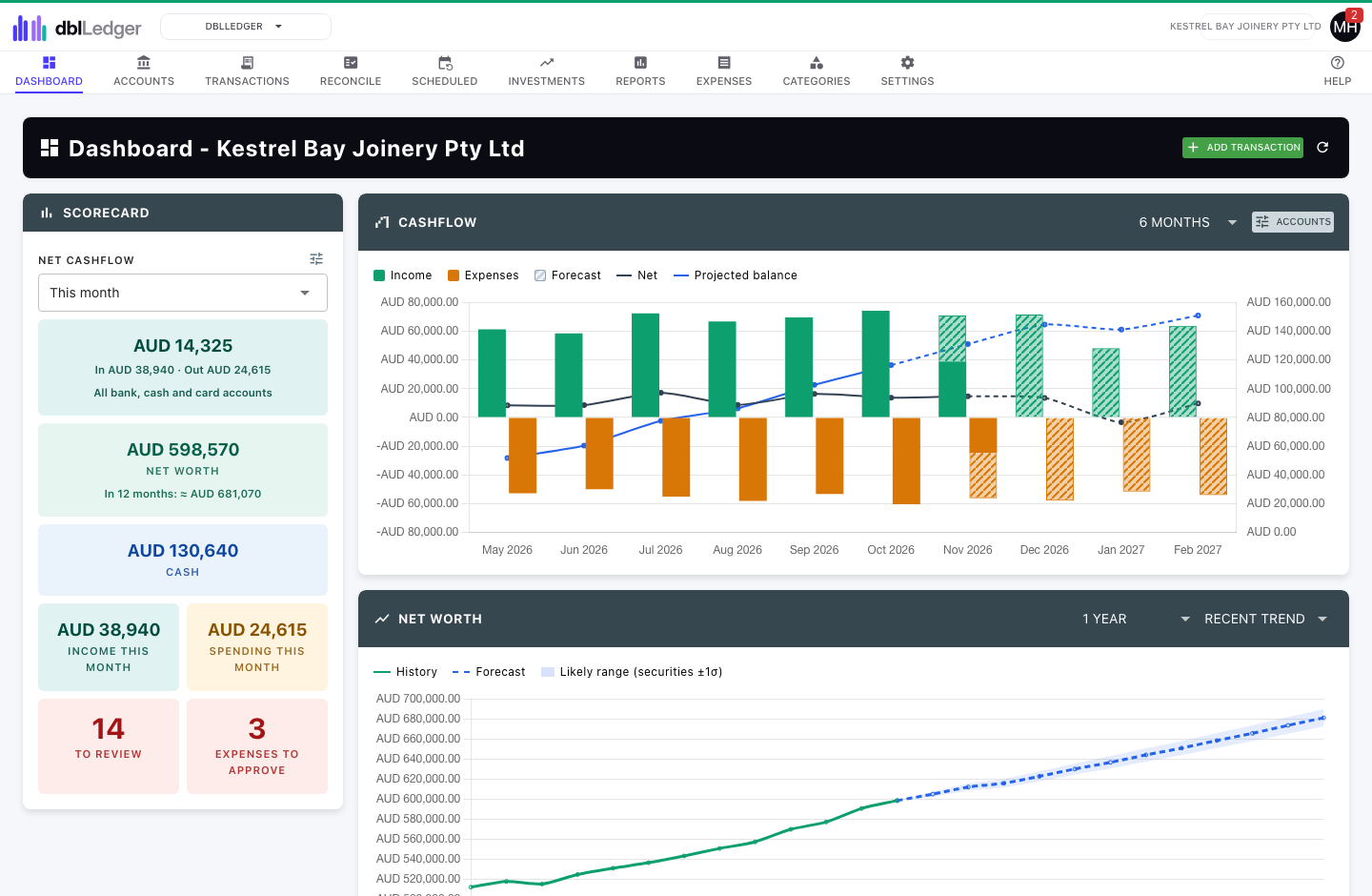
How dblLedger works
dblLedger keeps double-entry books for each entity, whether that is a company, a trust or a household, but you work with it the everyday way: money comes into or goes out of an account, and each amount goes to a category. Transfers, split payments, foreign currency and journals are there when you need them, and a nightly check confirms every transaction still balances.
Photo receipt entry takes the typing out of it. Photograph a receipt or invoice on your phone, or choose an image or PDF at your desk, and dblLedger reads the payee, date, amount, invoice number and a suggested category into a new transaction for you to check. The receipt stays attached, and one in another currency is converted at that day's rate.
Import a CSV, OFX, QFX or QIF file from your bank and work through each line with a suggestion already filled in. Overlapping files are safe, bank rules learn from your choices, and closing the statement explains any difference before you finish. Scheduled bills and income post themselves and feed a cash flow and net worth forecast.
Staff, contractors and volunteers send expense claims from their phones through the dblSuite portal, with a photo of the receipt. Approvers can ask a question by email, possible duplicates are flagged, and approved claims are reimbursed by bank transfer or with wages. Reports cover profit and loss by property, the balance sheet, cash flow and investment performance, along with the BAS in Australia, GST in New Zealand and VAT in the United Kingdom.
In the application
A closer look at dblLedger
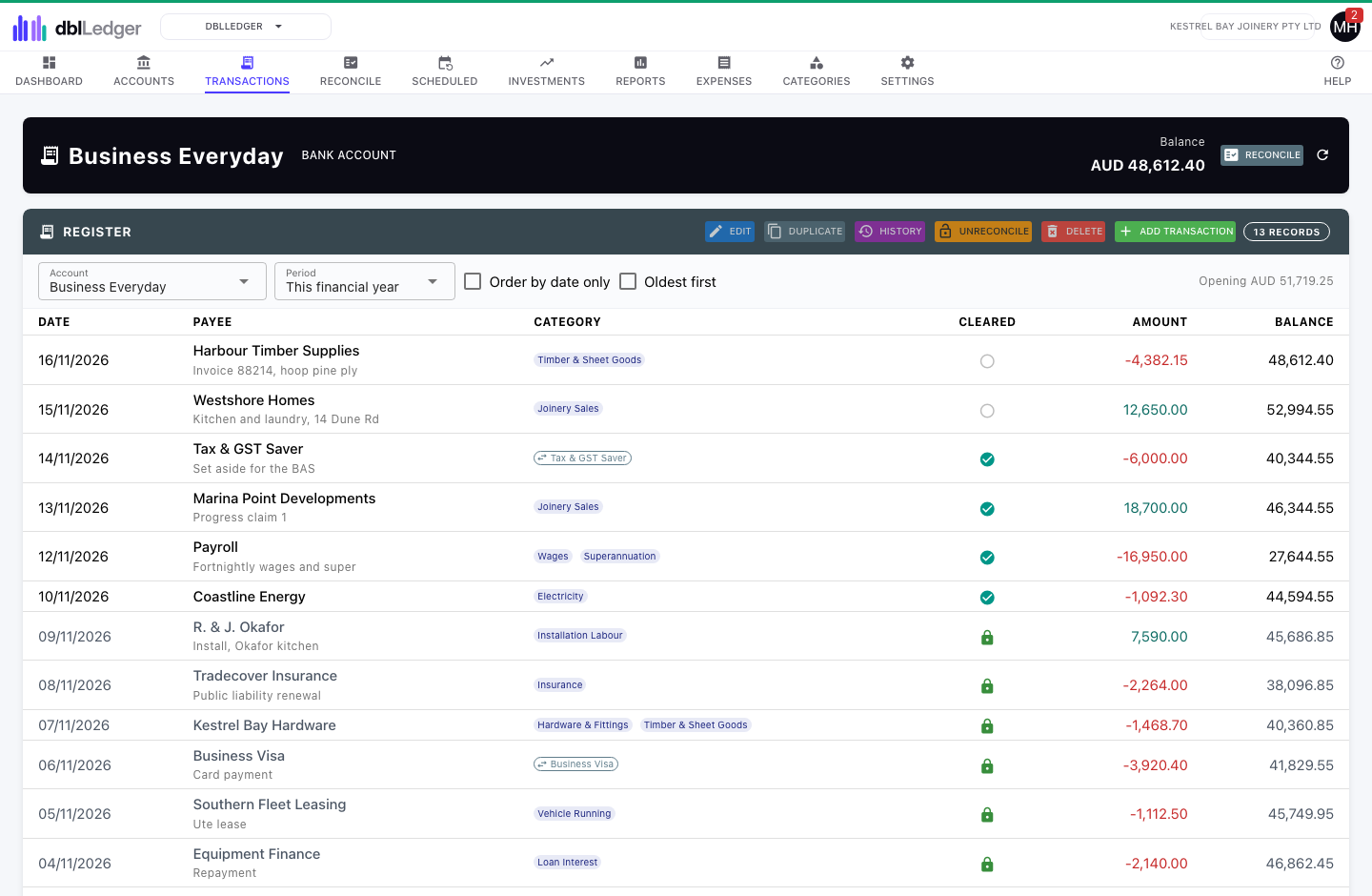
Account register
Every transaction in an account with the balance after it. Categories show at a glance, a split shows each of its categories, and a click ticks a line off against your internet banking.
Features
Bookkeeping, reconciliation and expense features
- Photo receipt entry: photograph a receipt or invoice and the transaction is filled in for you
- Double-entry books for each entity, entered as money in, money out and transfers
- Bank statement import from CSV, OFX, QFX or QIF, with suggested matches and bank rules that learn
- Statement close that explains any difference, and lines ticked off between statements
- Expense claims sent from a phone, approved, then reimbursed by bank or with wages
- Scheduled transactions with a cash flow and net worth forecast
- Shares with daily prices, dividends and franking credits
- Property income and expenses tracked for each property
- GST and BAS, New Zealand GST and United Kingdom VAT, or tax codes of your own
- Reports exported to CSV or PDF, and a history of every change
- Transactions linkable to dblTake, dblSource, dblUp, dblTeam and dblSpace records
Better together
How dblLedger works with other applications
dblLedger works on its own, and its records link to other dblSuite applications. The application that owns a record stays its system of record. The others point to it and show its current name and status.
Turn on expense claims for a person from their portal access in dblTeam. They send claims with a photo of the receipt from their phone, the claims are approved in dblLedger, and the access ends when they leave.
A transaction can link to the dblTake customer or invoice it relates to.
A transaction can link to the dblSource supplier it pays.
A transaction can link to the dblUp asset it was spent on, such as a repair or a part.
A transaction can link to the dblSpace shipment it relates to, such as a freight bill.
dblLedger is coming soon.
Start with one application and add more when you need them. Every site and entity is included.